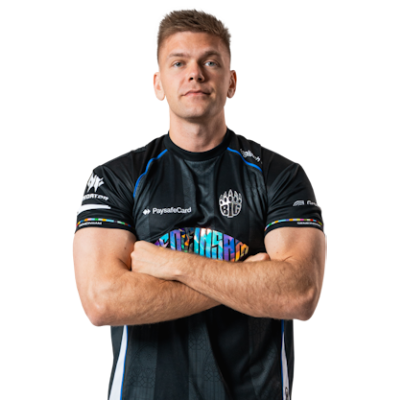
FNATIC
(DK)
blameF
Benjamin Bremer
Rifler / IGL

Viewmodel
viewmodel_fov 68;viewmodel_offset_x 2.5;viewmodel_offset_z -1.5
HUD
hud_scaling 1;safezonex 1;safezoney 1
Radar
cl_hud_radar_scale 1;cl_radar_scale 0.3;cl_radar_always_centered true;cl_radar_rotate true;cl_radar_icon_scale_min 0.6
Launch Options
-novid -tickrate 128 -console
Mouse Settings
| DPI | 400 |
| Mouse Sensitivity | 1.51 |
| eDPI | 604 |
| Zoom Sensitivity Multiplier | 1 |
| Polling rate | 1000 Hz |
| Windows Sensitivity | 6/11 |
Video Settings
| Resolution | 1280x960 |
| Aspect Ratio | 4:3 |
| Scaling mode | Stretched |
| Brightness | 87% |
| Display Mode | Fullscreen |
| Refresh Rate | 240 Hz |
Advanced Video
| Boost Player Contrast | Enabled |
| V-Sync | Disabled |
| Multisampling Anti-Aliasing Mode | 4x MSAA |
| Global Shadow Quality | High |
| Model / Texture Detail | Low |
| Texture Filtering Mode | Anisotropic 4X |
| Shader Detail | Low |
| Particle Detail | |
| Dynamic Shadows | |
| Ambient Occlusion | |
| High Dynamic Range | |
| FidelityFX Super Resolution | |
| NVIDIA Reflex Low Latency |
Gear & Peripherals
| Mouse | Logitech G Pro X Superlight 2 |
| Keyboard | Wooting 60HE |
| Headset | HyperX Cloud II |
| Monitor | ZOWIE XL2566K 360Hz |
| Mousepad | Artisan Zero Soft |
How to Apply blameF's Settings in CS2
Option 1 (Share Code):
Copy the CS2 share code above, launch Counter-Strike 2, go to Settings → Game → Crosshair, click Share or Import, and paste.
Option 2 (Console Command):
Open the CS2 in-game console (
~) and paste: apply_crosshair_code CSGO-cbemP-4Khr9-JB6DQ-yr5Yo-AAjLJ.
Option 3 (Autoexec Config):
Click Download Config to get
blamef_cs2_config.cfg and place it inside your CS2 game/csgo/cfg/ directory.
